Up next in 10


DJI Mini 5 Pro Quick Shots - Helix
Show More Show Less View Video Transcript
0:01
Elix is an excellent way to reveal the
0:04
surroundings of a landmark.
0:10
The drone orbits around the target while
0:12
rising in altitude.
0:15
We can set the direction of flight and
0:17
maximum radius from 10 to 120 m.
0:23
If we use the higher values and start
0:25
from a relatively high elevation, we
0:28
might get an error message on screen if
0:30
the maximum allowed altitude is
0:32
exceeded.
0:43
In the right locations, the result can
0:45
be quite spectacular, especially when
0:47
using high radius values.
0:52
However, the movement becomes extremely
0:55
slow.
0:59
In this case, reduce the radius value to
1:01
increase the speed.
1:13
With boomeran, there are no parameters
1:15
to set. Only direction of flight can be
1:18
chosen.
1:20
The drones flies away from the target
1:22
rising in altitude and then cuts back on
1:25
the other side of the target at the
1:26
original altitude.
1:30
He draws a half ellipse around the
1:32
target.
1:46
This is another difficult move to
1:48
perform manually
1:57
and is an excellent one for real estate
1:59
to showcase a property.
2:30
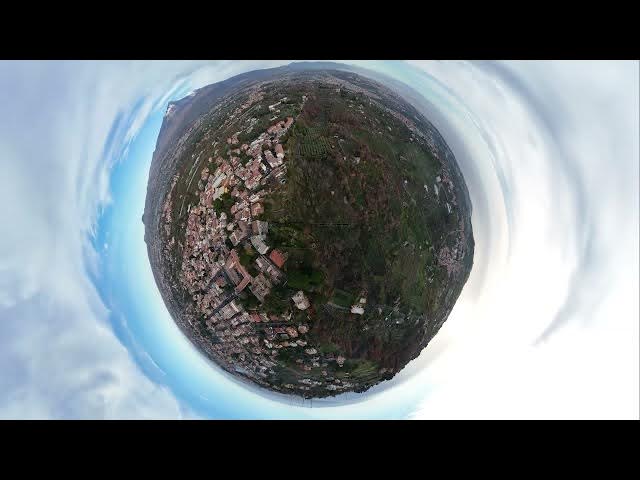
asteroid is available only at a
2:32
resolution of 1080p.
2:35
This is good fun to use it a couple of
2:37
times to show it to friends who have not
2:39
seen a tiny planet before or to post it
2:42
on social media, but it's not really
2:44
useful in videography.
2:48
The first part of the movie is similar
2:49
to a rocket rising with the camera
2:52
locked on the target. At a certain
2:54
altitude, several photos are taken for a
2:57
360° representation of the scene.
3:06
I left this mode for last as it is a new
3:08
one for DJI lightweight models.
3:12
It uses the rotating gimbal also present
3:16
in the R3S and Mavic 4 Pro to mimic the
3:19
behavior of a real airplane leaning to
3:22
one side while turning.
3:26
By opening the small window at the
3:28
bottom of the screen, we access several
3:30
parameters.
3:32
We can choose the direction between
3:34
forward and backward.
3:37
For rotation angle, there are two
3:39
choices.
3:43
With the first one, the clip start with
3:44
a 45 degree rotation to the right and
3:48
then rotates by the same amount to the
3:50
other side.
3:55
With the second option, the aircraft
3:57
rotates progressively from 0 to 180
4:00
degrees
4:02
for an upside down view.
4:12
In rotating speed, there are three
4:14
choices. I suggest selecting the minimum
4:16
value as otherwise the resulting clip
4:18
will be very short. Finally, we can
4:21
choose the flight speed.
4:24
The top of the small window shows the
4:26
distance to travel and the length in
4:28
second of the resulting clip.
4:34
In rotate mode, a target is not needed.
4:39
It is the only quick shot mode where the
4:41
drone doesn't come back to the starting
4:43
point at the end of the move.
4:50
Click on this link to watch my video
4:52
about photography with the Mini 5 Pro.
4:55
And don't forget to hit the like button
4:56
if you find this video interesting.
4:59
Thank you.