Up next in 10


DJI Mini 5 Pro Waypoint Hyperlapse - Shutter Speed
Show More Show Less View Video Transcript
0:00
The most important variable is the
0:01
shutter speed value which controls the
0:04
amount of motion blur. To simplify it,
0:06
we can consider 1 second the most
0:08
suitable shutter speed value for drone
0:10
hyperlapses. As you can see, at this
0:12
speed, the motion is perfectly smooth.
0:18
To know more about the setting of
0:19
hyperlapses, please refer to my video
0:22
linked at the end of this one.
0:28
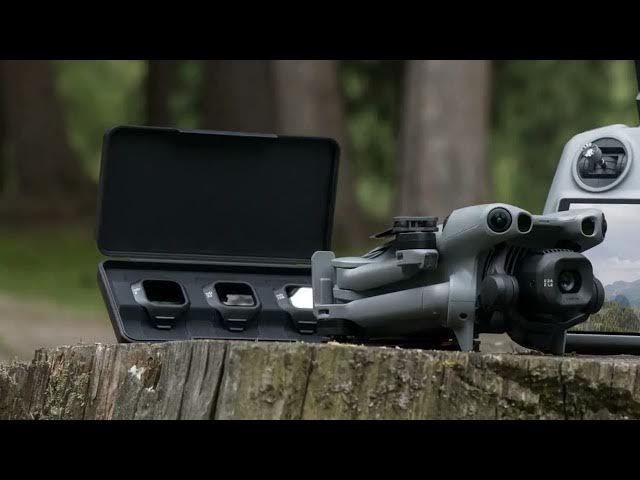
For such long shutter speed value, a set
0:30
of ND filter is needed.
0:34
In the description, you will find a link
0:36
to the one I use, the Freewell All Day
0:39
sixpack for the Mini5 Pro.
0:42
It offers a wide range of ND values from
0:45
ND16 to ND1000.
0:48
Suitable for all light conditions for
0:51
video, photo, and hyperlapses.
0:56
With the Mini 5 Pro Fore combo, DJI
0:58
offers a set of three ND filters, which
1:01
is fine for video. However, they're not
1:04
strong enough for hyperlapses or long
1:06
exposure photography.
1:11
To show you the importance of shutter
1:12
speed and motion blur, I have first
1:14
performed this mission with auto
1:16
exposure. with a shutter speed of about
1:19
1/50th of a second.
1:23
As you can see, the car's motion is very
1:26
jumpy, quite painful to watch. This is
1:29
why for hyperlapses, auto exposure
1:32
should be avoided at all cost.
1:35
We should rather aim for a shutter speed
1:37
as close to 1 second as possible with
1:40
the aid of ND filters.
1:43
So, I added an ND 1000 ND filter. As you
1:47
can see, the car motion is much more
1:49
pleasing to the eyes.