Up next in 10


DJI Mini 5 Pro Waypoint - Using More Points
Show More Show Less View Video Transcript
0:00
On rare occasions, we may need missions
0:02
with more points. For example, to follow
0:05
the progress of a building site or to
0:08
track a sport event.
0:12
In this case, I want to follow this
0:13
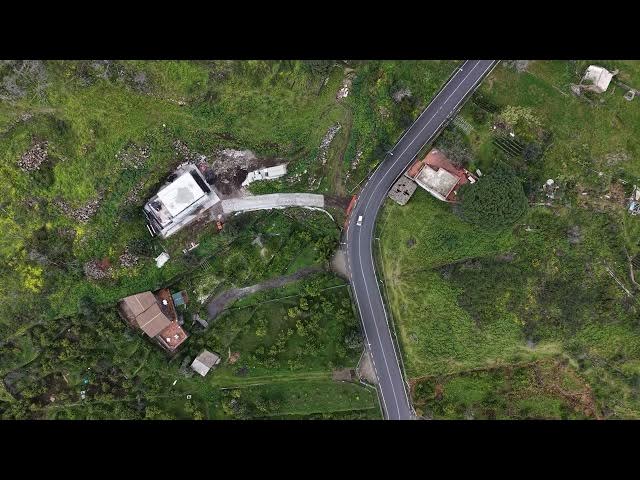
narrow road with a top-down view for a
0:16
cycling event so that I can repeat the
0:19
same route for different competitors.
0:24
I enter waypoint mode and position the
0:27
camera with a bird's eye view over the
0:29
path to set the first point.
0:34
Then I set a point about 20 m before
0:38
each turn, another one at the turn, and
0:42
the third one 20 m after to achieve a
0:45
smoother transition.
0:49
I do the same for each twist of the
0:51
road.
0:57
After three turns and 11 points, I can
1:00
save the mission.
1:09
In the resulting clip, the transition of
1:11
the turns is very smooth, but I would
1:13
like to increase the speed.
1:16
I would also prefer a closer view, but I
1:18
cannot lower the aircraft altitude due
1:21
to surrounding obstacles.
1:24
A new feature of the Mini 5 Pro is the
1:26
Meta mode for a two time zoom with
1:29
limited loss of resolution. It can be
1:31
applied to a wayoint mission.
1:36
I tap the first point, select the zoom
1:39
icon, and increase the value to two
1:41
times.
1:45
I can then apply the same zoom value to
1:47
all the point forming the mission.
1:52
Finally, I increase the overall speed of
1:54
the mission.
2:04
Now I'm happy with the result
2:10
and I can wait for the competitors to
2:12
arrive.