Up next in 10


DJI Mini 5 Pro Waypoint - Modify a Mission
Show More Show Less View Video Transcript
0:00
On top of Mount Etna, there are often
0:02
interesting cloud formation. So, I would
0:05
like to modify the gimbal tilt in the
0:06
last point to include a larger portion
0:09
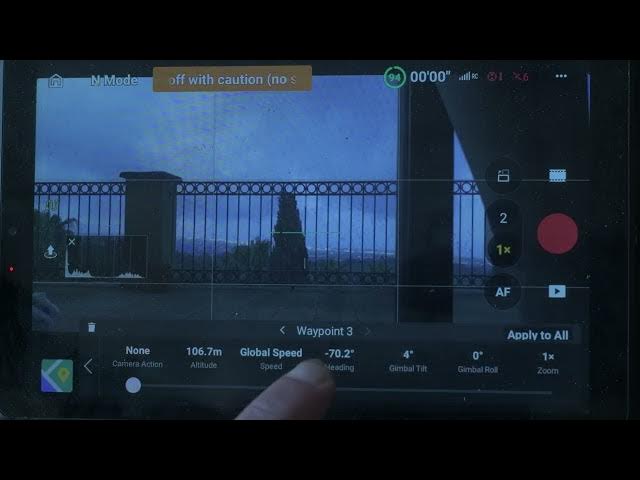
of the sky. To modify one or more points
0:12
of emission, tap the point to select.
0:15
The small windows shows a series of
0:17
values relative to that point, including
0:19
altitude, speed, camera orientation,
0:22
gimbal tilt, gimbal roll, and zoom
0:25
level. I select gimbal tilt and turn the
0:28
value up by a few degrees. The gimbal
0:30
roll is a new feature for DJI
0:32
lightweight drones. I will show an
0:34
example later on on this video.
0:38
In the same window, you can also set a
0:40
camera action at that point to have the
0:42
aircraft over for a specified number of
0:45
seconds.
0:51
When filming, set the camera action to
0:53
start recording at the first point and
0:56
stop recording at the last.
1:01
The map on the lower left of the screen
1:02
shows the battle dummation with a
1:04
different point.
1:11
Then I can wait for better light
1:12
conditions and retreat the same mission.
1:20
We are just after sunrise with nice soft
1:22
shadows and extra tail to the gimbal
1:25
shows some interesting cloud formations
1:27
above Mount Edna.