Up next in 10


DJI Mini 5 Pro Waypoint Hyperlapse - Modify a Missions
Show More Show Less View Video Transcript
0:00
When using waypoint mode for video, all
0:03
the parameters for each point forming
0:04
emission can be modified.
0:07
This makes it an extremely powerful and
0:09
flexible tool. Sadly, this is not
0:12
feasible with waypoint upper laps. But
0:14
we can improve a mission by creating a
0:17
new one and using the previous one as a
0:19
drawing board.
0:21
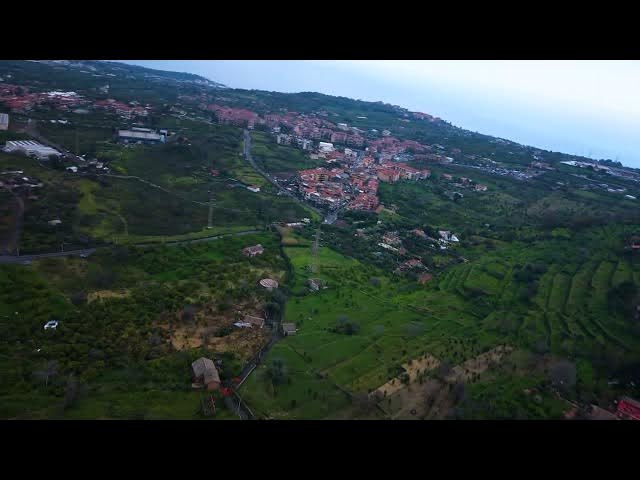
In this case, there is a strong
0:23
imbalance in brightness between the sky
0:25
and the ground elements. To correct
0:27
this, I will angle the gimbal downwards
0:30
so the sky occupies less of the frame. I
0:33
will also opt for gentler curves, reduce
0:36
gimbal rotation, and fewer points.
0:40
I start a new mission. Frame the first
0:42
point slightly to the right of the
0:44
village, but closer than before to
0:46
reduce the turn. I tilt down the gimbal
0:49
to include a smaller portion of the sky
0:51
in the frame. I set the first point.
0:55
Then I advance, orient the camera slight
0:58
to the left of the village for a gentle
1:00
curve.
1:02
Rotate the gimbal to the left,
1:06
increase the altitude, and tilt the
1:08
gimbal down to frame the village. I can
1:10
set the second point here.
1:14
I advance to the third point,
1:17
rotate the camera slightly to the right,
1:20
aiming at the center of the village.
1:22
Rotate the gimbal gently to the right.
1:25
Increase the altitude and tilt the
1:27
gimbal down.
1:29
I set here the third point.
1:32
Finally, I advance and tilt down the
1:35
gimbal. Bring the gimbal rotation back
1:38
to zero.
1:40
To set the fourth and last point,
1:45
now the rotation starts immediately. The
1:47
curves are less pronounced and the
1:49
motion is flawless. The transitions are
1:52
smoother as it is often the case when
1:55
using fewer points.
1:59
The different luminosities reduce and it
2:01
is easier to achieve the correct
2:03
exposure.
2:14
The Mini 5 Pro has another new
2:16
functionality, the metal mode for
2:18
improved quality when zooming in up to
2:21
two times.
2:27
To show how it works, I repeat the same
2:29
mission. And at the final point, I set a
2:31
1.5 times zoom. I'm happy with the
2:35
result.