Up next in 10


DJI Mini 5 Pro Spotlight Mode - Static Targets
Show More Show Less View Video Transcript
0:00
Unlike the other two modes of focus
0:02
track, in spotlight, the drone doesn't
0:04
move autonomously.
0:06
The movement is generated by the two
0:08
sticks of the remote controller while
0:10
the target remains in the same position
0:12
on the frame.
0:17
With stat targets, Spotlight makes it
0:20
easy to perform smooth, flawless moves
0:23
that are difficult to control manually,
0:25
especially when the two sticks of the
0:27
controller and the dials for the gimbals
0:30
are involved.
0:44
A classic move is to advance diagonally
0:46
to the target.
0:49
The camera will remain locked to the
0:51
subject, revealing the surroundings with
0:53
interesting parallax effect.
1:02
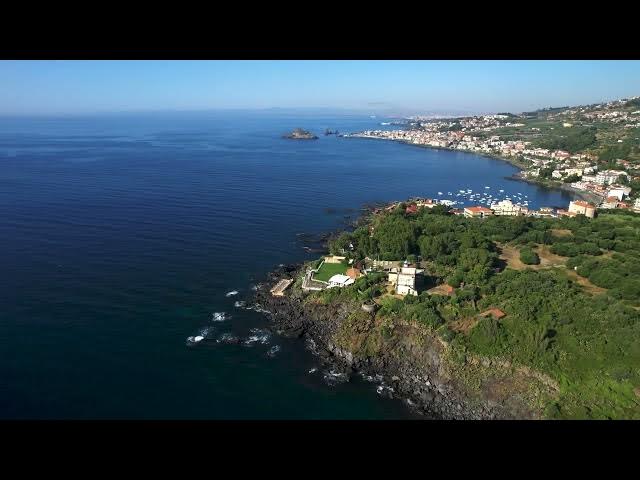
In this case, the camera is locked to
1:03
this tiny lighthouse and I can move the
1:06
drone in all directions to reveal the
1:08
width of this lovely bay and Mount Etna
1:11
on the background. Here
1:18
the drone rises in altitude with the
1:20
camera locked on this little hill
1:22
despite the elevation change revealing
1:25
the Bay of Katana in his Sicily in the
1:27
background.
1:35
Spotlight mode is an excellent tool for
1:37
real estate videography to show the
1:39
surroundings of a property in a
1:41
cinematic way.
1:49
Another classic move difficult to
1:52
perform manually is the crane shot.
1:54
Starting at the front of a landmark,
1:57
rising in altitude, and advancing to
1:59
reach a bird's eyee view.
2:03
The reverse movement can also be quite
2:05
spectacular, starting from the top view
2:08
and then revealing the surroundings.
2:18
Spotlight can also be used for dynamic
2:21
orbiting move around the landmark.
2:36
On several occasions, similar results
2:38
can be obtained using point of interest
2:41
as in this move. Combining a reverse
2:43
crane with a screwdriver effect.
2:48
The choice of the tool depends on
2:50
personal preference.
#Online Video
#Real Estate