live_tv
Livestream Starting Soon
00
Hours
:
00
Minutes
:
00
Seconds
Up next in 10


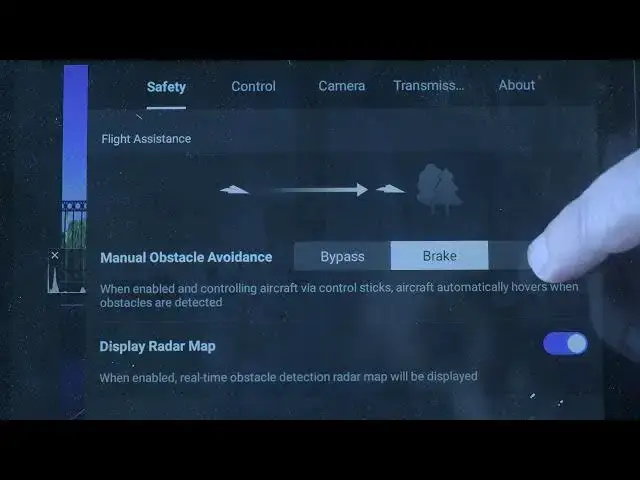
DJI Mini 5 Pro Settings - Safety Tab
Show More Show Less View Video Transcript
0:00
The menu is contextsensitive, meaning
0:03
the settings differ between video and
0:05
photo modes. Before tapping the three
0:07
dots at the top right of the screen, we
0:09
choose photo from the photo video menu.
0:12
Now the menu relays to photo.
0:16
In the first tab, safety, there are a
0:18
couple of option to choose for peace of
0:20
mind during your photo shooting
0:22
sessions.
0:24
I always set obstacle avoidant action to
0:27
bypass or break as it is easy to get
0:29
distracted where searching for the best
0:32
target to frame and the obstacle
0:34
detection system has saved my drone on
0:36
many occasions.
0:39
Scrolling down, we can turn on or off a
0:41
powerful auxiliary LED. It is useful
0:45
when bringing the aircraft back home in
0:47
low light.
0:50
At the bottom, open the advanced safety
0:52
settings to specify the behavior in case
0:55
of single loss. Design must be avoided
0:58
as we don't want our drone to land on
1:00
someone's property, into bushes, or on a
1:03
lake. In most cases, I set it to return
1:07
to home. But when flying indoors, under
1:10
trees, or in other tight spaces, it is
1:13
preferable to choose a hover.