Up next in 10


DJI Mini 5 Pro Point Of Interest - Static Targets
Show More Show Less View Video Transcript
0:01
Rotating around the landmark is a
0:03
cinematic move, especially when there
0:05
are elements at various distances in the
0:08
background, creating an appealing
0:10
parallax effect.
0:13
Let's see a few different ways to film
0:15
the same scene.
0:21
One of the simplest way to show this
0:23
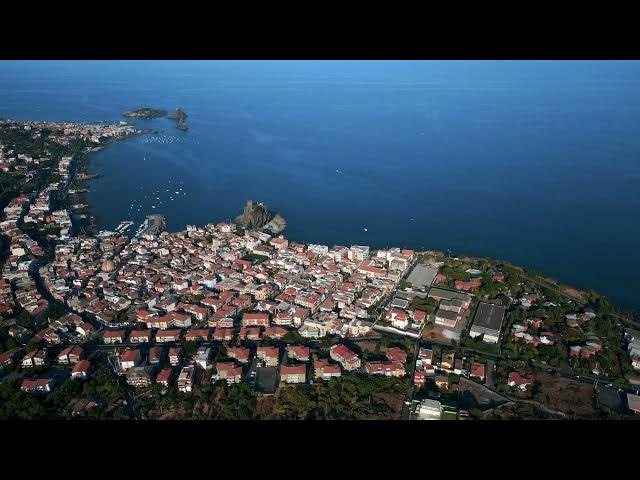
village by the Mediterranean Sea in
0:25
Sicily is to advance toward it at
0:27
constant speed.
0:30
It can be useful as an establishing
0:32
shot, but on other occasions we might
0:34
prefer a more dynamic approach.
0:40
By modifying the angle of view and
0:42
advancing towards the village, we can
0:44
include two other villages with a couple
0:46
of small volcanic islands. Now we know
0:49
more about the surroundings.
0:56
Then we can introduce point of interest.
0:58
Starting with a view of the same village
1:01
with a camera lock on the normal castle.
1:05
The aircraft will rotate
1:07
counterclockwise progressively revealing
1:09
the other base and villages, thus adding
1:13
an element of surprise.
1:20
By using the two sticks of the remote
1:22
controller, we can add extra movement
1:23
for a more dynamic effect.
1:28
In this case, I'm moving quite fast to
1:30
the right while rotating and then
1:33
lowering the altitude to better position
1:36
the other villages on the scene. Notice
1:38
the parallax effect with the element in
1:40
the background rotating at different
1:42
speed.
1:48
To make the move even more dynamic, we
1:51
can use the left wheel of the remote
1:52
controller to apply some digital zoom.
2:00
Let's do the same move as before, but
2:02
this time starting with a quite deep
2:04
zoom on the normal castle.
2:09
During rotation, we apply the same
2:11
movements and progressively zoom out
2:13
back to 100%.
2:18
The zooming out makes the movement even
2:21
more dynamic.
2:30
We can also do the opposite. This start
2:32
progressively zooming in to 200%.
2:39
The parallax effect is increased as the
2:41
village in different layers looks
2:43
compressed and closer to each other.
2:51
For more precise result, is it possible
2:53
to apply the zoom on the computer while
2:55
editing?
2:58
In both cases, there will be a severe
3:00
loss of resolution, but the result will
3:02
be acceptable for posting on social
3:04
media.
3:11
In this other example, we can use point
3:13
of interest with aircraft above the
3:15
target and the camera pointing down.
3:20
By simply lowering the elevation while
3:22
rotating, we can combine two cinematic
3:24
moves difficult to perform manually. the
3:27
screwdriver and the crane shot.
3:36
Certain dynamic rotating moves can be
3:38
accomplished with similar result using
3:41
either point of interest or spotlight.
3:45
Some user feel more comfortable using
3:47
point of interest as there is no need to
3:49
take care of the rotation
3:52
while other prefer spotlight for better
3:55
control of the orbiting speed.