live_tv
Livestream Starting Soon
00
Hours
:
00
Minutes
:
00
Seconds
Up next in 10


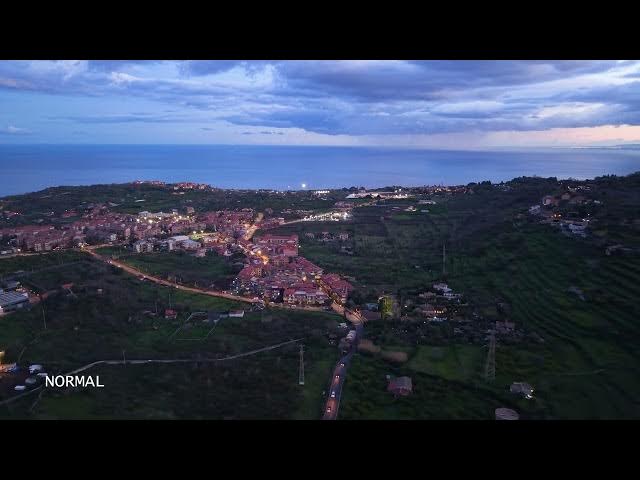
DJI Mini 5 Pro - Normal Color Profile
Show More Show Less View Video Transcript
0:00
Normal profile can be used immediately
0:02
after shooting, even without any
0:05
editing,
0:07
although adjusting the luminosity and
0:09
adding a touch of extra contrast and
0:11
saturation can often be beneficial.
0:15
For this reason, it is the most widely
0:17
used, especially by beginners and casual
0:20
users who post their footage on social
0:22
media.
0:24
The profile is pre-processed and the
0:26
noise by the algorithm.
0:29
In previous lightweight models,
0:31
including the Mini4 Pro, normal was an 8
0:33
bit profile capable of displaying about
0:36
16 million colors. However, in the Mini
0:39
5 Pro, it is a true 10- bit profile with
0:42
a richer color palette of over 1 billion
0:45
colors.
0:48
The quality of the footage is excellent
0:50
in friendly light conditions and it can
0:52
be used even by professional when a
0:55
computer is not available for
0:56
post-processing or when the footage must
0:58
be published immediately after shooting.
1:03
But how do we define friendly light
1:05
condition? Well, it's preferable to
1:07
avoid high dynamic range situations with
1:10
big difference luminosity between the
1:12
shadows and the highlights.
1:16
Shots in the direction of the sun should
1:18
be avoided.
1:20
The optimal position of the sun as
1:22
viewed from the camera is between 4 and
1:24
10:00. It is also suggested to avoid the
1:28
central hours of a sunny day as the
1:30
shadows would be too harsh.
1:34
Better results are obtained by shooting
1:35
around sunset or sunrise or when the sun
1:38
is partially obscured by clouds in order
1:41
to get softer shadows.
1:50
Another way to reuse dynamic range is to
1:52
turn the camera down towards the ground,
1:54
taking out the sky from the scene.