videocam_off
This livestream is currently offline
Check back later when the stream goes live
Up next in 10


DJI Mini 5 Pro Hyperlapse - Shutter Speed
Show More Show Less View Video Transcript
0:00
The shutter speed value is the most
0:02
important factor for hyperlapses as it
0:05
control the amount of motion blur in the
0:07
moving elements within the scene.
0:13
The correct amount of motion blur is
0:15
crucial.
0:16
If you're serious about time-lapses and
0:18
hyperlapses, I suggest watching my
0:20
specific video by clicking on the link
0:23
above.
0:26
For time-lapses and hyperlapses with
0:28
drone, the ideal shutter speed value is
0:30
between one and two seconds. But what
0:33
happens when using faster values?
0:36
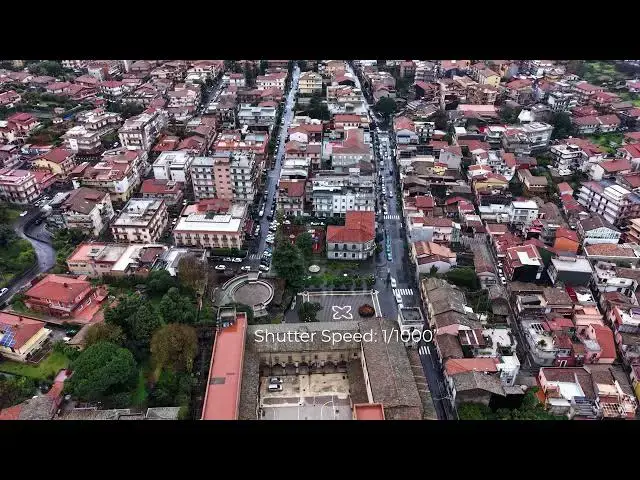
At the very fast shutter speed of one
0:39
over 1,000 of a second, the movement of
0:41
the car is very jumpy. Totally different
0:44
from what we see in real life.
0:47
Unwatchable.
0:51
At a speed of one over 50s, things get
0:53
slightly better, but the car movement is
0:55
still stuttering.
1:01
At 1/4 of a second, the result is
1:04
acceptable. We're almost there, but not
1:07
quite.
1:11
At 1 second, we get the correct motion
1:13
blur and battery smooth movement.
1:17
For such long shutter speed value, a set
1:20
of ND filter is needed.
1:24
In the description, you will find a link
1:25
to the one I use, the Freewell All Day
1:29
sixpack for the Mini5 Pro.
1:32
It offers a wide range of ND values from
1:35
ND16 to ND1000.
1:38
Suitable for all light conditions, for
1:41
video, photo, and hyperlapses.
1:46
With the Mini 5 Pro Fore combo, DJI
1:48
offers a set of three ND filters, which
1:51
is fine for video. However, they're not
1:54
strong enough for hyperlapses or long
1:56
exposure photography.