Up next in 10


DJI Mini 5 Pro - DLOG M Color Profiles
Show More Show Less View Video Transcript
0:00
If normal mode works so well, why should
0:03
we bother about another profile?
0:07
Well, there are two main reasons for
0:09
using the log M.
0:12
The first one is to achieve better
0:13
results in high dynamic range
0:15
situations.
0:18
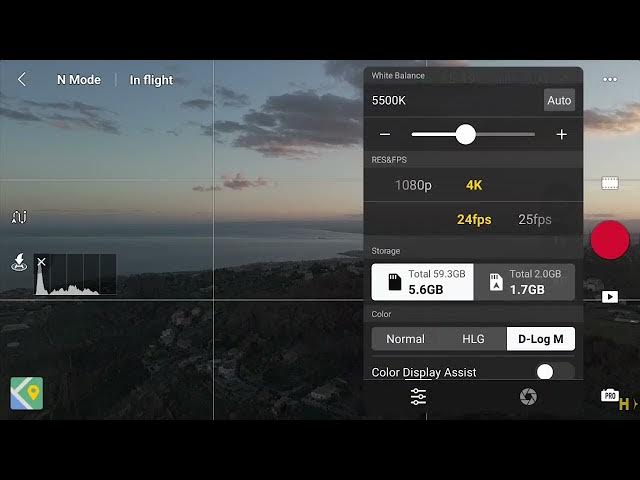
The log M is a simplified version of the
0:20
log, a true flat profile supplied with
0:23
previous IHand DJI models.
0:30
The idea behind the flat profile is to
0:32
produce lower contrast desaturated
0:34
footage, retaining more information in
0:37
the highlights and in the shadows and
0:39
reducing color banding.
0:42
The game is relatively flat and easier
0:45
to color grade by using a lot as a
0:48
starting point. DJI has already released
0:50
a free lot to use with the Mini 5 Pro.
0:53
You can download it via a link in the
0:55
description of this video.
1:00
When using the log M, the image on the
1:02
screen looks flat, making it difficult
1:04
to find the correct exposure.
1:07
But the option color assist display in
1:10
the white balance window improve the
1:11
visualization.
1:14
For the Mini 5 Pro, DJI claims an
1:16
astonishing 14 stops of dynamic range
1:20
when using auto exposure by implementing
1:22
a process named dual native ISO fusion.
1:27
When shooting footage, I always use
1:29
manual exposure and manual white web
1:31
balance.
1:33
However, with the Mini 5 Pro, in a
1:35
dynamic range situations, it is worth
1:37
using auto exposure to take advantage of
1:40
the ISO fusion.
1:44
It is preferable to maintain the same
1:46
angle between the camera and the sun
1:48
during a clip to avoid shifting
1:50
luminosity.
1:53
Since the log M is practically
1:54
unprocessed, we might occasionally find
1:57
a limited amount of chromatic noise in
1:59
the shadows, but it is very easy to get
2:01
rid of it.
2:04
I use the excellent noiser nit video.
2:08
You will find info about it in the
2:10
description.
2:12
You can click on the link above to watch
2:14
my video about this program.
2:20
Another reason to use the log m is to
2:22
adapt the clip to the color scheme of a
2:24
specific project.
2:28
Since the color profile is practically
2:30
unprocessed, it respond better to
2:32
post-processing and offers more option
2:34
for color grading.
2:37
I find the log M to be much better
2:40
implemented in the new model compared to
2:42
the Mini4 Pro with richer colors, good
2:45
contrast, and limited noise.